Every deal looks like your firm’s work.
Attach your firm’s templates. Build inside your own model and memo structure, in the voice your committee knows.
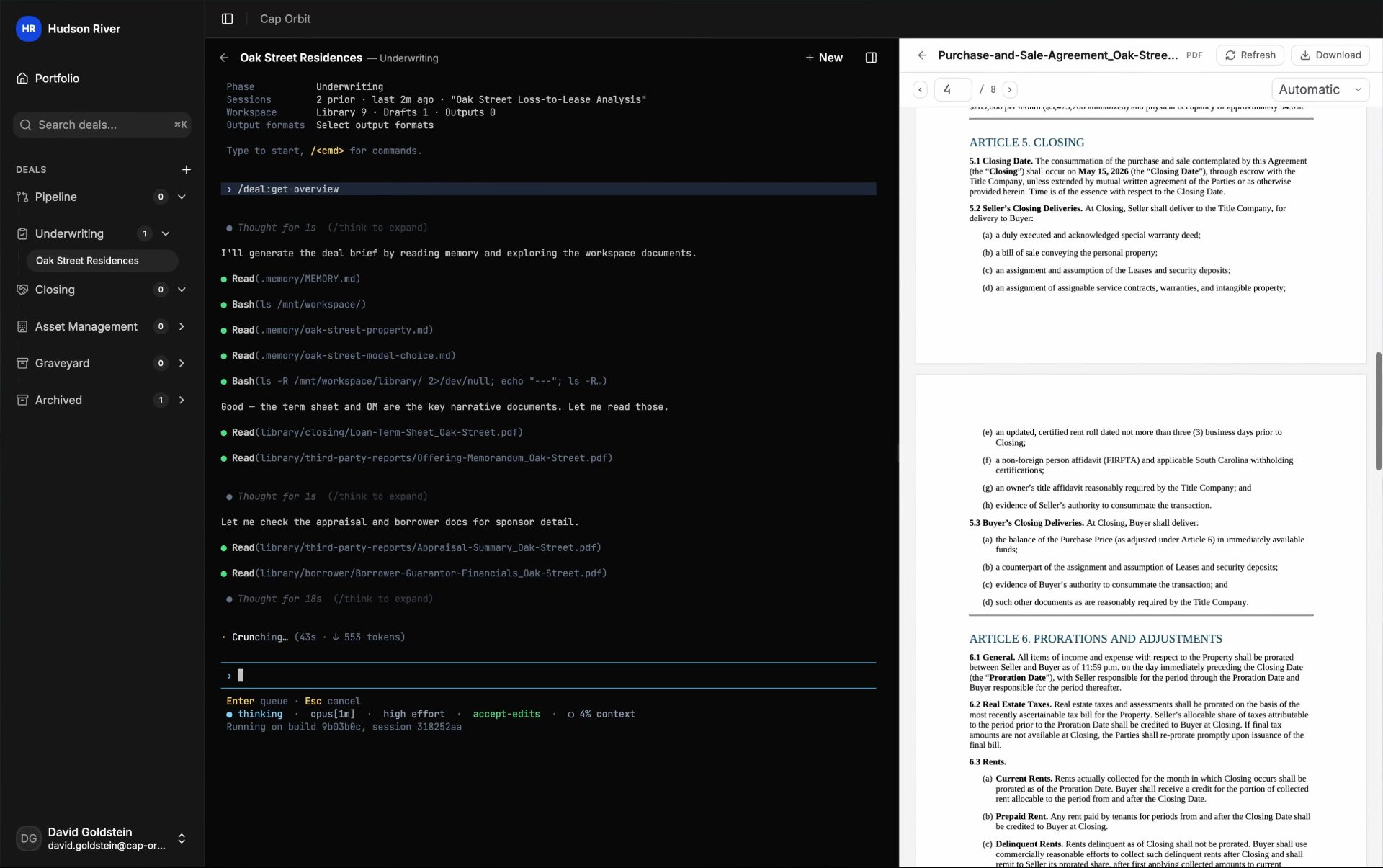
01 · Your formats, on the deal
Attach your templates. The work is built to fit them.
- Attach your own Word, Excel, PowerPoint, or PDF template, or pick from a catalog of house models, searchable by sector and strategy.
- Tag formats to the stages where you use them. The right template is there at first look, through underwriting and closing, and into asset management.
- A deal carries several formats at once. Preview, replace, or remove any of them. The terminal always drafts from a copy, never the original.
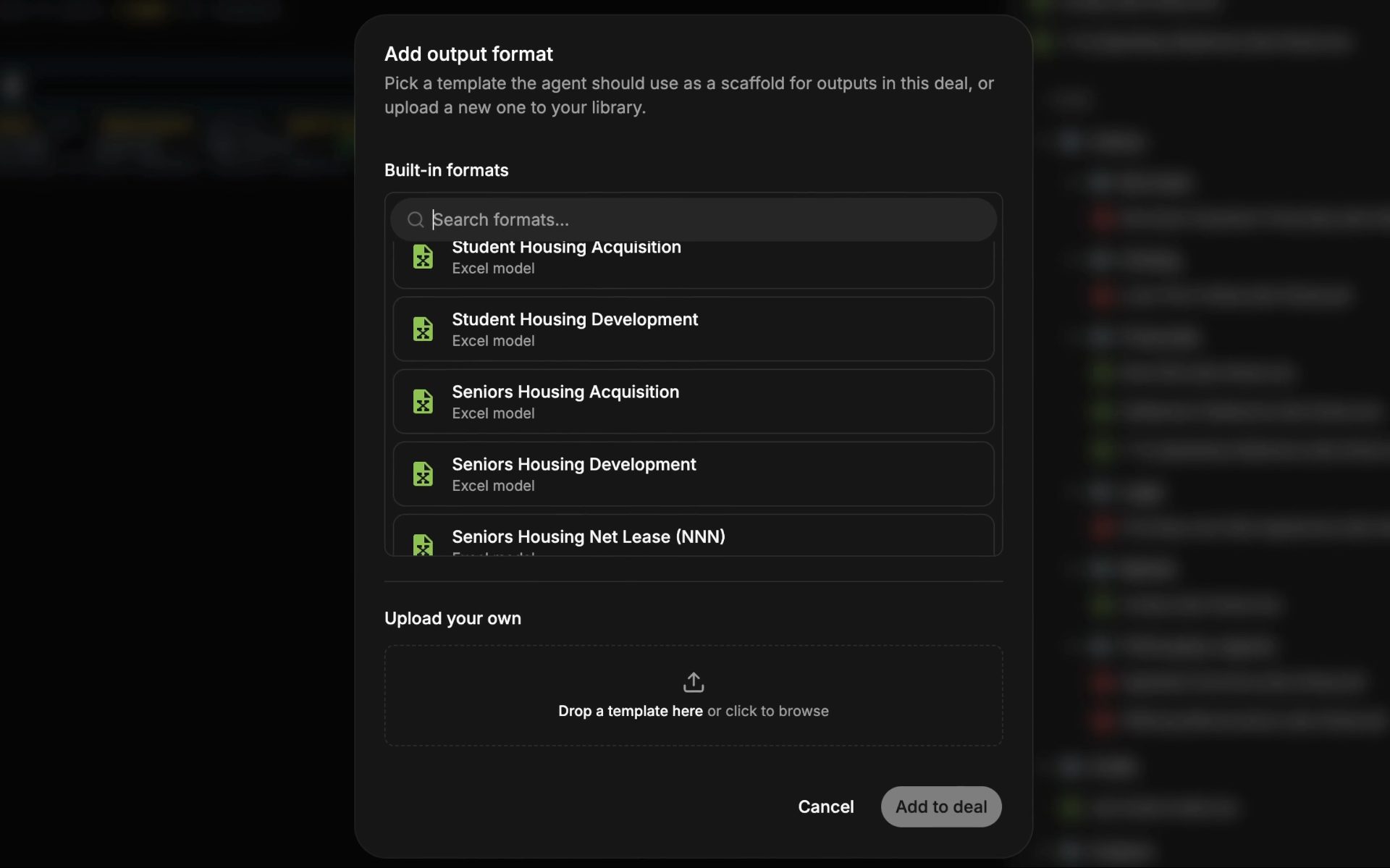
Fig · Formats tagged to the stage they belong to
02 · Your workbook
Your workbook, filled and extended in place.
- Point a model at an attached template. Your sheet structure, fonts, colors, and number formats are preserved.
- A reviewer opens the firm’s own model as a spreadsheet and changes the assumption in the cell. The formulas recalculate as they type.
- Without an attached template, start from an institutional default or a catalog model. Every house model opens in Excel without repair.
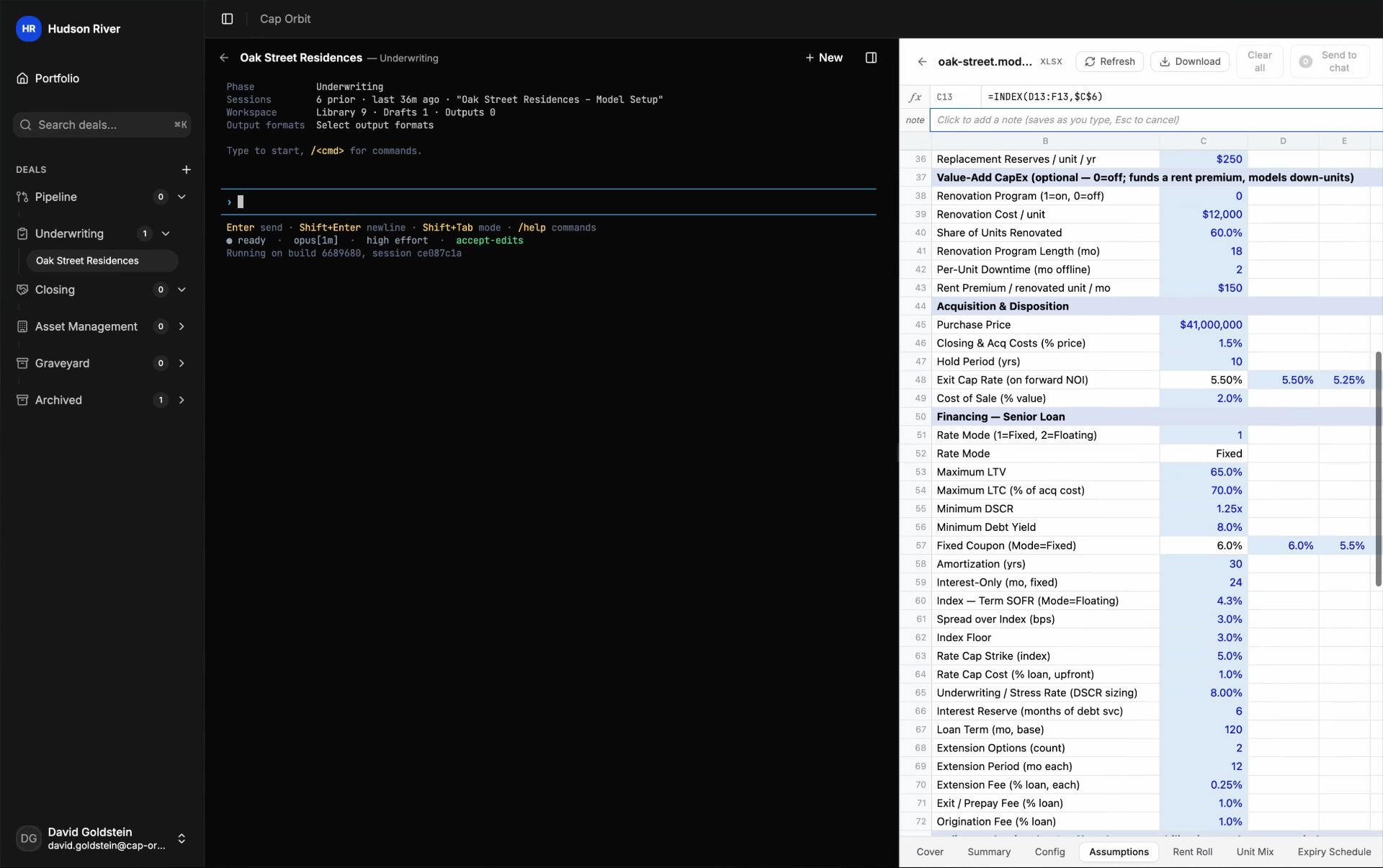
Fig · The model returned in the firm’s own workbook
The model is the source of truth, and every figure traces back to it.
The memo reads the model, so the numbers agree. Only input cells are written; every formula is preserved, and every conflict is surfaced for you to resolve. Your edits and the terminal’s sit in one history as revisions.
Pulled from the model
Headline figures and exhibit tables come straight from the model’s computed cells, so the memo and the model always agree.
Sourced or marked open
Every figure traces to the model or a cited document. Where a required input is missing, the terminal marks the gap so you know exactly what to fill.
Your cells stay yours
Model updates write only to input cells, preserve formulas and calculated cells, and flag conflicts for review. Charts, pivots, and images survive the round trip.
What comes out
The files your firm knows.
Each decision calls for a different document. Keep the structure and voice your firm expects at every stage.
Screening
Screening memo
A one-to-two-page pursue-or-pass note, drawn from the offering memo and a back-of-envelope calculation. The answer leads. The numbers support it.
Investment committee
IC memo
An equity recommendation that leads with returns. Connect the thesis to IRR and multiple, promote and exit, then make the case to deploy.
Credit
Credit memo
The deal seen through its downside. Back the case with credit metrics, collateral, structure, and covenants. Close with approve or decline.
Closing
Closing memo
A confirmatory settlement record that ties actual to approved, with no forward-looking claims and no legal or environmental opinions.
Asset management
Performance review
See how the asset compares with the underwrite and budget. Explain the variance and what to do next, using your house trackers.
The numbers
The model behind it
Keep one workbook from first look through underwriting and asset management. Every memo draws from it.
03 · The house voice
Memos in the format and voice your committee expects.
- Point the terminal at your filed memos or an attached sample, and the draft follows the firm’s section order, tone, units, and exhibit style.
- The memo opens ready to mark up. Every change is tracked under a name, the terminal’s included. Accept or reject in Cap Orbit or later in Word, with the team’s comments beside the text.
- The more samples you point it at, the closer the match. A full brand guide carries further than a single example.
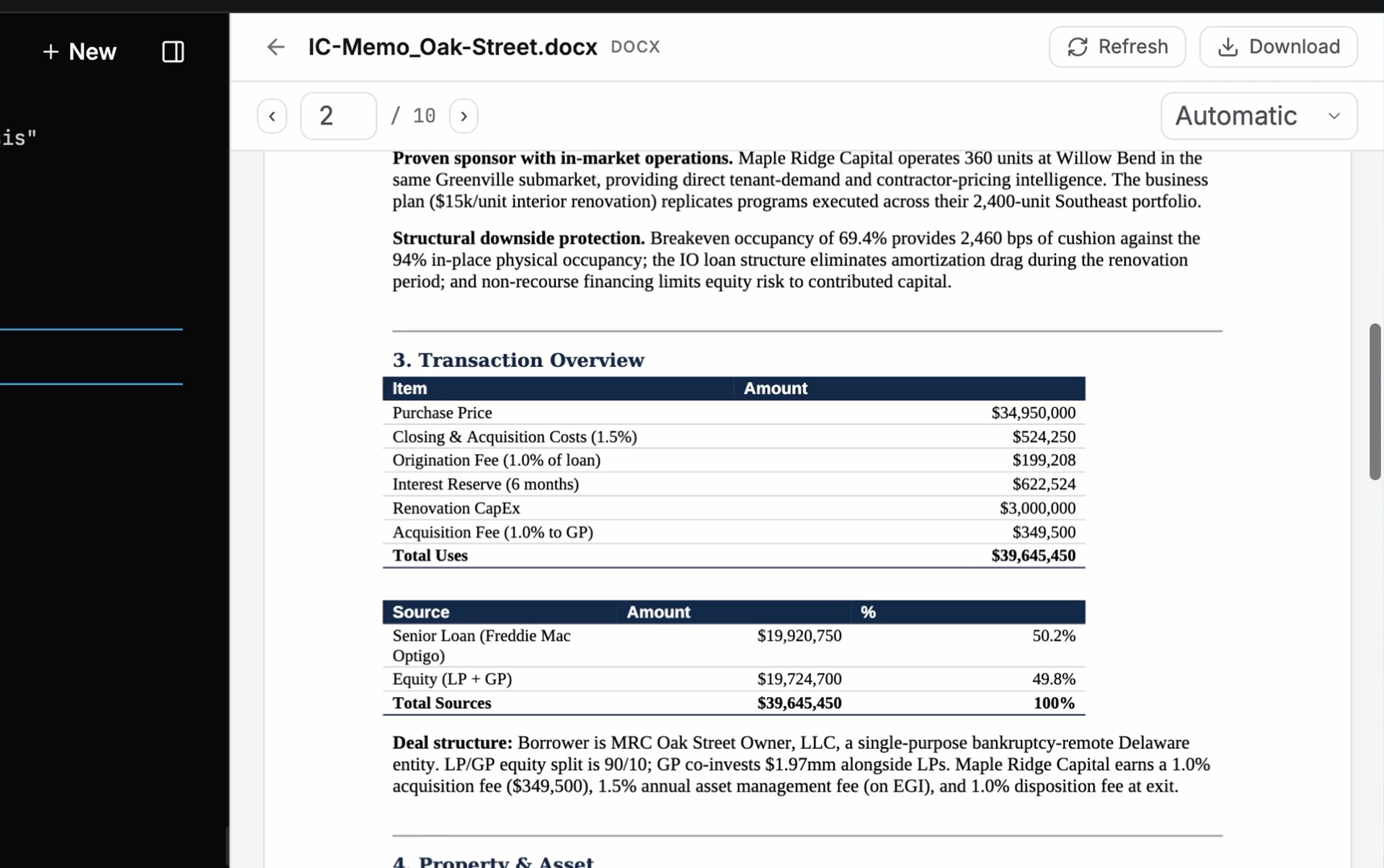
Fig · The IC memo, drafted in the firm’s format
From template to finished file
Start with your template. Finish in your format.
Attach the format at the start. Keep the same standard across analysts and offices as your deal volume grows.
- 01
01
Attach the format
Your template stays with the deal. The team can see it, and the terminal uses it to produce the work.
- 02
02
Build to it
The model is built inside your workbook. A memo is planned section by section and drafted in your voice only after you sign off on the outline.
- 03
03
Footnote the claims
Headline numbers pull from the model. Material claims footnote to third-party evidence.
- 04
04
Check, then mark it up
The workbook is checked against your house formula standards and the deck against the layout standard. Two Word versions in, one redline out, so the committee sees what moved.
Lock the deliverable
The memo and the model, snapshotted together.
Finishing a stage locks the deliverable and guarantees the memo and the model are in agreement, captured together at the decision point.
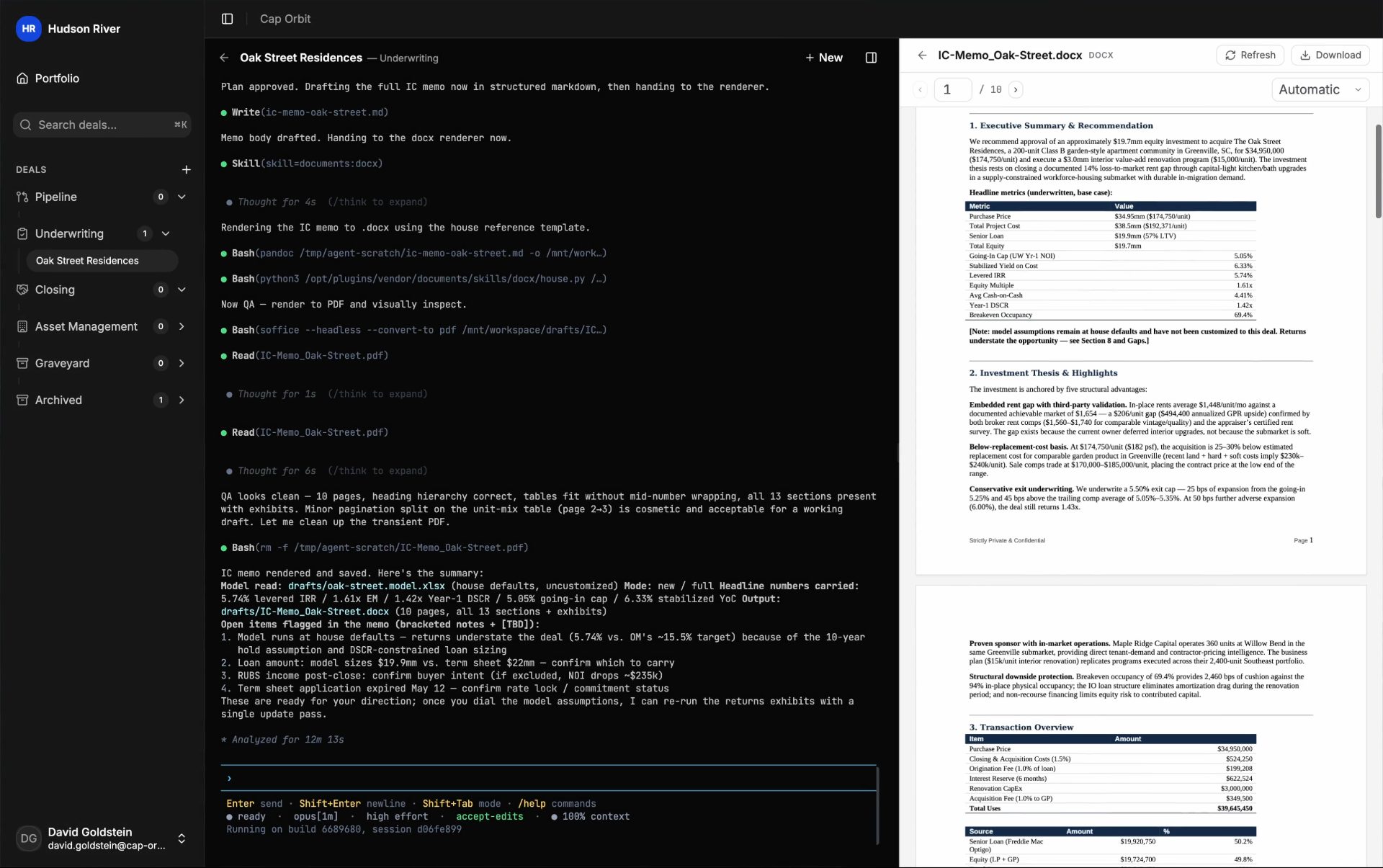
Fig · A finished deliverable, locked to its numbers