One deal record, from first look through ownership.
One record holds the sources, the model, the drafts, and the history. The whole team underwrites, drafts, closes, and monitors from it. The terminal edits the same files the team does.
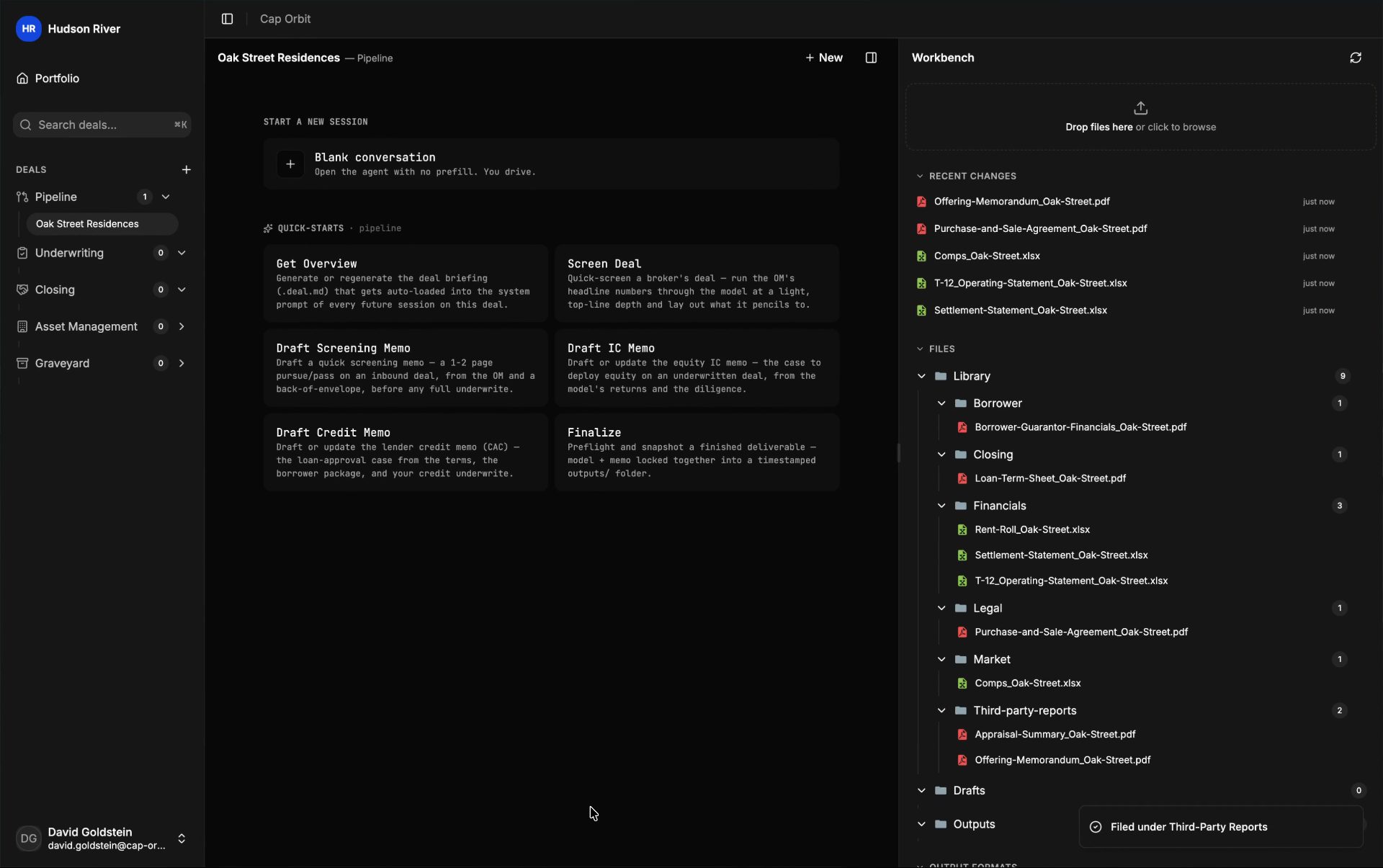
Deal intake
Drop in the files. Find them where you need them.
Drop in the OM, the rent roll, and the T-12. Or link the SharePoint, OneDrive, Dropbox, or Box folder where they already sit.
- 01
01
Bring in the full file
Upload individual files or whole folders, including scans and lender documents. Or link a folder as the deal’s data room. Teammates connect their own accounts and see only rooms they can open. The terminal pulls the named files into the deal and reads nothing outside the linked room. In Outlook, search by sender, subject, or date and file the attachment.
- 02
02
Read the document, not the filename
Each file is classified by its contents, so a mislabeled scan or a buried exhibit still lands in the right part of the record. Scanned PDFs are read too.
- 03
03
Place it where the work needs it
Files go into a CRE deal structure organized for the underwrite. Some are filed automatically. Others are suggested for you to accept or change, or held for review.
- 04
04
Keep exceptions in view
Anything incomplete, oversized, or unreadable stays in review with a plain reason. Documents carrying Social Security numbers, Tax IDs, or payment-card numbers are blocked before they enter the deal.
Deal file
Documents land where the underwrite will use them.
Find financials beside leases and reports. Legal and loan documents, comps, and plans each have their place. Files needing review stay in view.
Property Financials
Rent rolls, operating statements, trailing-twelves, budgets, sources-and-uses, and invoices.
Borrower & Guarantor
Borrower and guarantor financials, tax returns, personal financial statements, schedules of real estate owned, org charts, and principal resumes.
Property & Leases
Full executed leases, lease abstracts, tenant estoppels, and SNDAs.
Third-Party Reports
Appraisals, Phase I environmentals, property-condition reports, engineering reports, zoning letters, and ALTA surveys.
Legal & Title
Title commitments, insurance certificates, and the purchase and sale agreement.
Loan & Closing
Loan applications, term sheets, commitment letters, wire instructions, and the closing checklist.
Market & Comps
Submarket studies, rent comparables, and sales comparables.
Photos & Plans
Property photos, site plans, and floor plans.
Needs Review
Files that need team judgment before they become part of the working record, each with a plain reason.
Team workspace
Your team, together in the same file.
Share the sources, models, and drafts as the deal moves through your team. Work in the same workbook at the same time.
Pick up where your team left off
The team opens the same deal record: the filed materials, the model, the drafts, and the sessions.
The same sheet, at the same time
Open a colleague’s workbook and see their cursor and selection, marked with their name and color. Edits appear as they type. Shading shows a cell being edited without locking it.
Handoffs keep the record intact
When acquisitions, credit, closing, or asset management pick up the file, the prior work and its sources come with it, and the memo shows who changed what. No separate chat history to rebuild.
01 · Document pane
Open the file. Get right to work.
- Open a filed document beside the model, the memo, or the session. The source stays in view while the work moves.
- A workbook opens as a spreadsheet, not a preview. Type into a cell and the formulas recalculate. Insert a row and every reference below it moves. Print the model to PDF with Excel’s own pagination.
- Type in the memo with every change tracked under your name. Edit text in the deck and reorder slides in the rail. Read PDFs page by page.
- The terminal edits the same files you do. Step back through its workbook revisions. Accept or reject its memo edits. Charts, pivots, and images survive the round trip to Excel, Word, or PowerPoint.
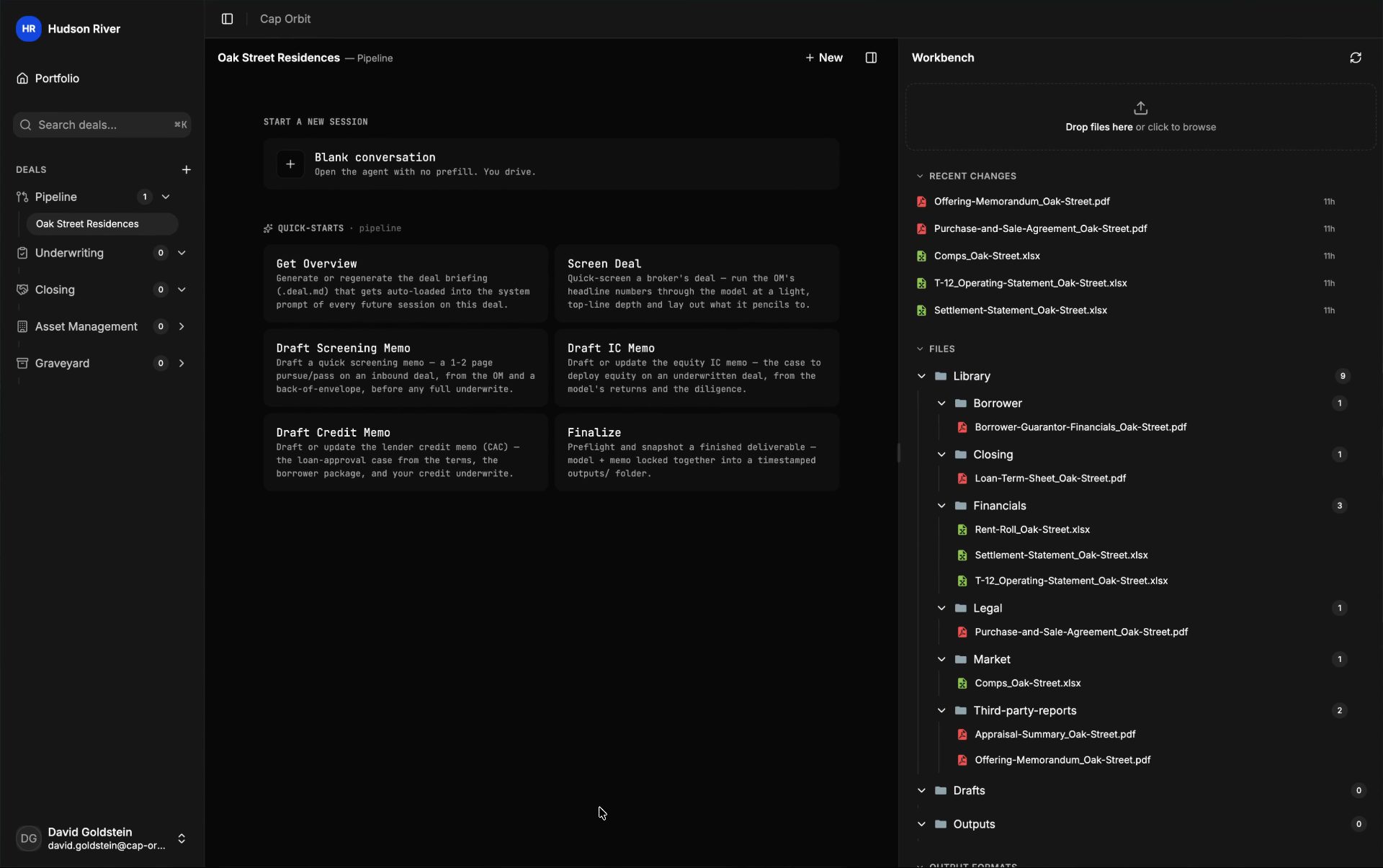
Fig · The model, open beside the session
02 · Source evidence
Keep the source with the question.
- Select a cell, page, or paragraph and send it to the session with your note and the page number. Or comment in the file and mention the terminal. Its reply appears in the thread.
- Several cells, pages, or tabs move together as one evidence set, so the team works from the same source context instead of retyping references.
- Follow a model figure, an assumption change, or a memo draft back to the document behind it.
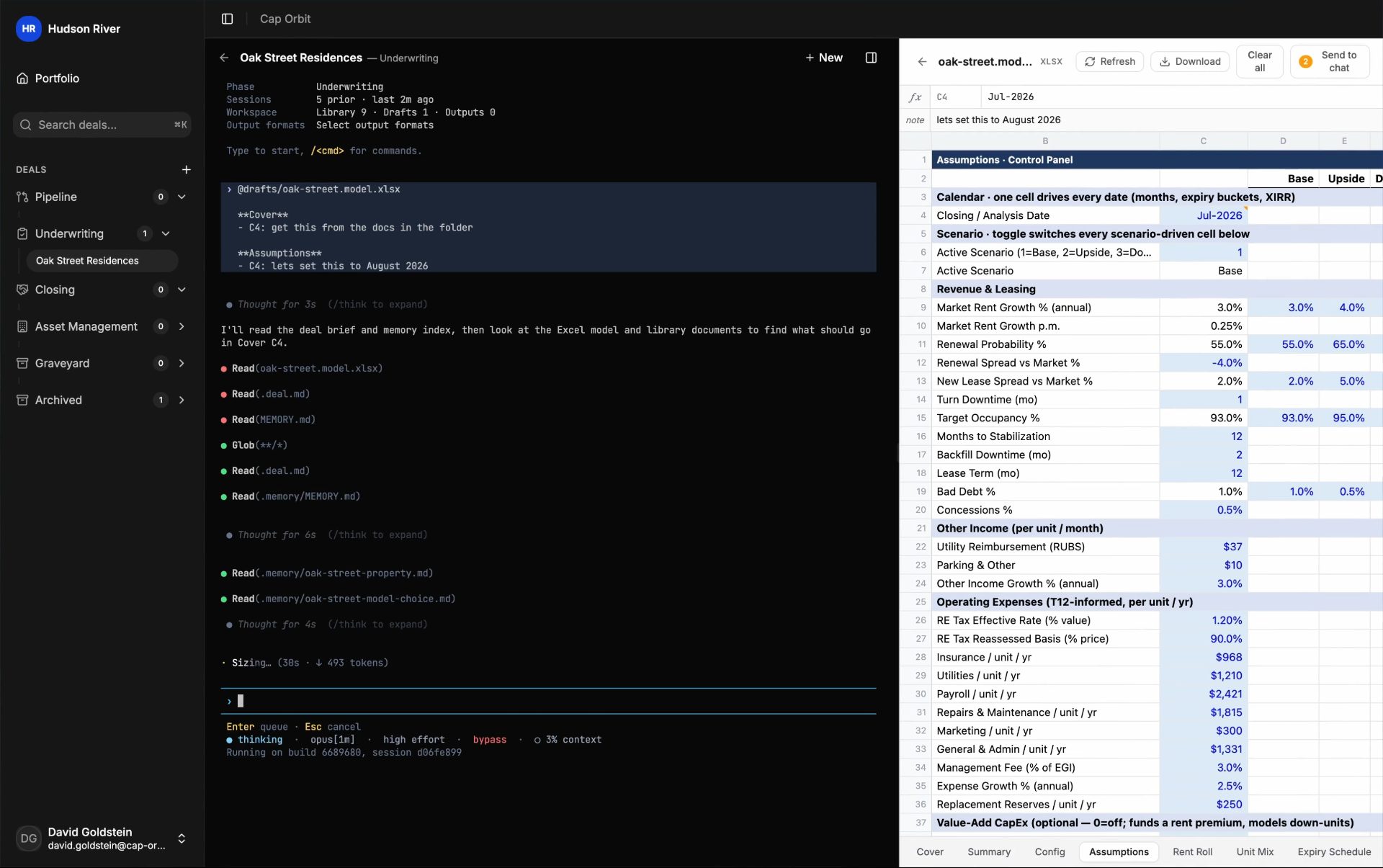
Fig · Source evidence carried into the work
03 · Deal record
The deal record holds the work and the files.
- Every model, memo, deck, and closing record lands beside the source documents that support it.
- Attach your firm’s Word, Excel, PowerPoint, or PDF formats, and the work drafts into the structures your team already uses.
- Every save by anyone keeps a version, with timestamps and deltas. Open it read-only, or restore it.
- Deleted files go to the trash. Restore and permanent delete are actions people take, never the terminal. Reopen a workbook and it lands on the sheet and cell you left.
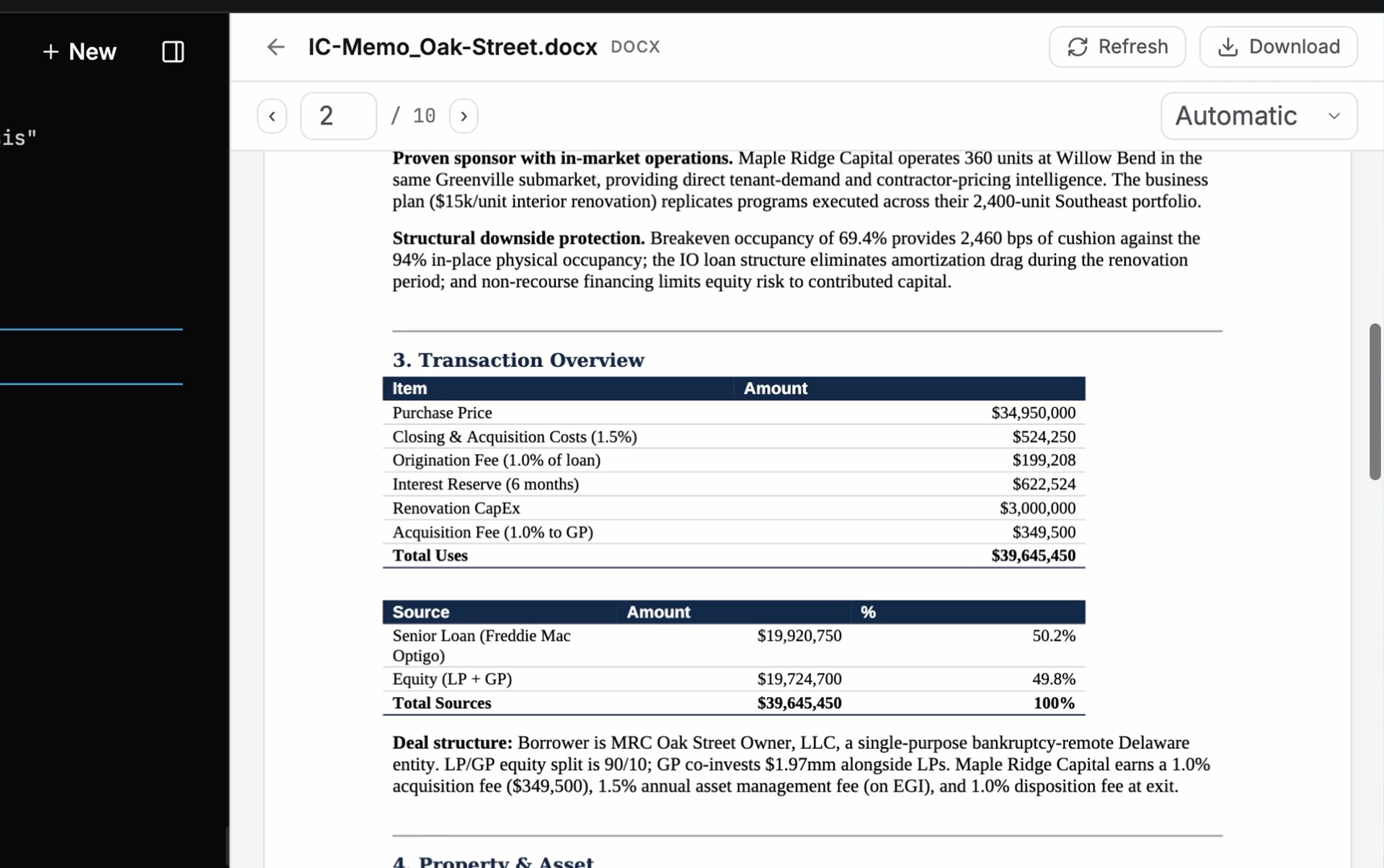
Fig · Sources, outputs, and history in one deal record
The whole deal is here when you come back.
Keep the work with the deal from first look through ownership. Any teammate can return to the underwrite and its sources, ready for the next decision.
Documents become a working record
Materials are organized around the underwriting and memo work, with unresolved items held for the team to clear.
Evidence stays attached
Figures, assumptions, and draft language point back to the source document behind them.
Pick up the deal anywhere
The next session opens on the latest model, sources, and drafts. Follow a running session from your phone, read along, and dictate a reply.